
By default, Kubernetes use the Calico CNI plugin to allocate network interfaces for the containers within the pod. The result is one network interface within the container. For use cases, such as routing, packet forwarding, content based routing , the container needs more than one interface for its CNF realization. With Multi plugin, this feature can be achieved.
Architecture Briefing
During pod initialization phase, CRI (Container Runtime Interface ) will call CNI (Container Network Interface) to allocate network interface for the container. The most used CNI realization is Calico and by this CNI, one network interface is allocated within the container. In order to achieve multiple network interfaces within the container, the solution is the multi plugin. The CRI calls the Multi plugin first, and then, Multi plugin call multiple CNIs backends to achieve multiple network interfaces within container as illustrates in following diagram:
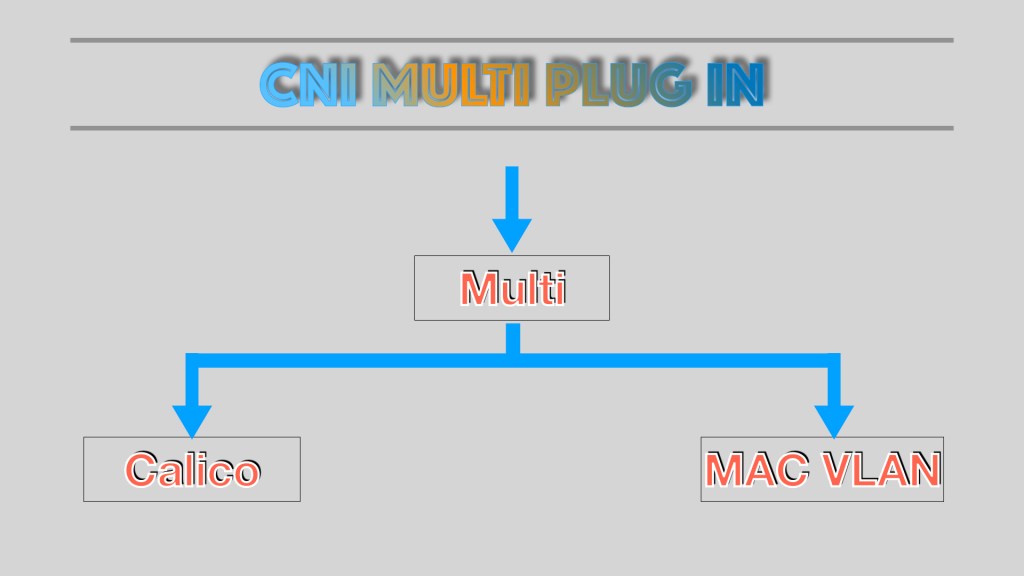
In the above diagram, Multi called the Calico CNI and MAC VLAN plugin to create two interfaces inside the container.
Demo
First create the NAD (Network Attachment Definition), then according K8s manifest, apply it in the cluster, wait for the pod to be launched successfully.
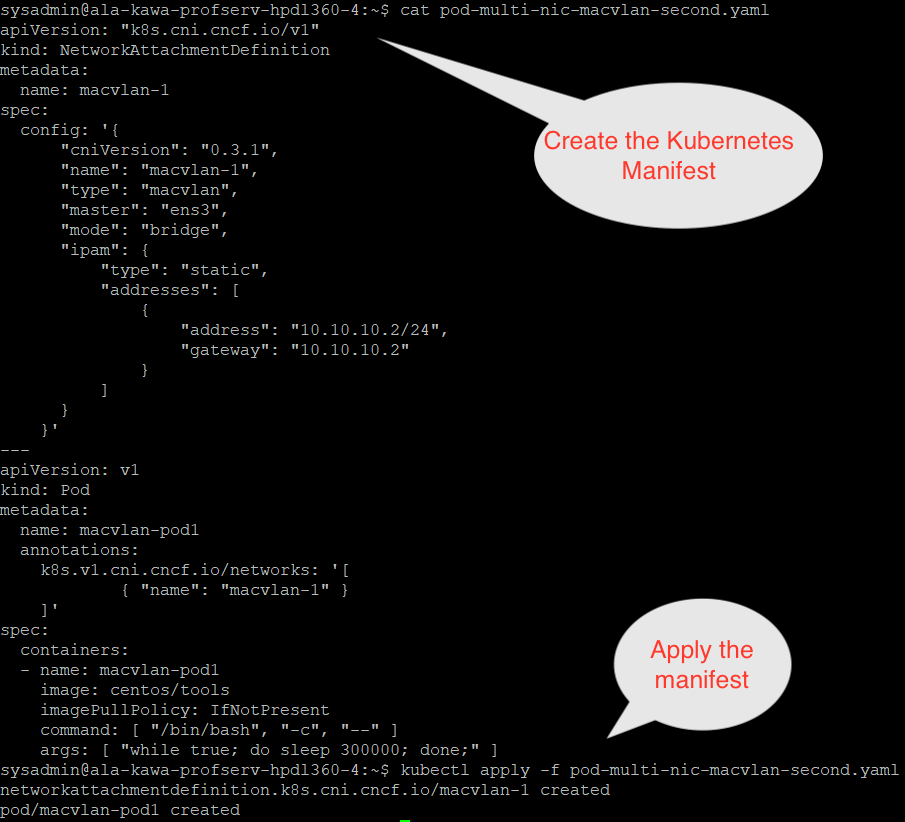
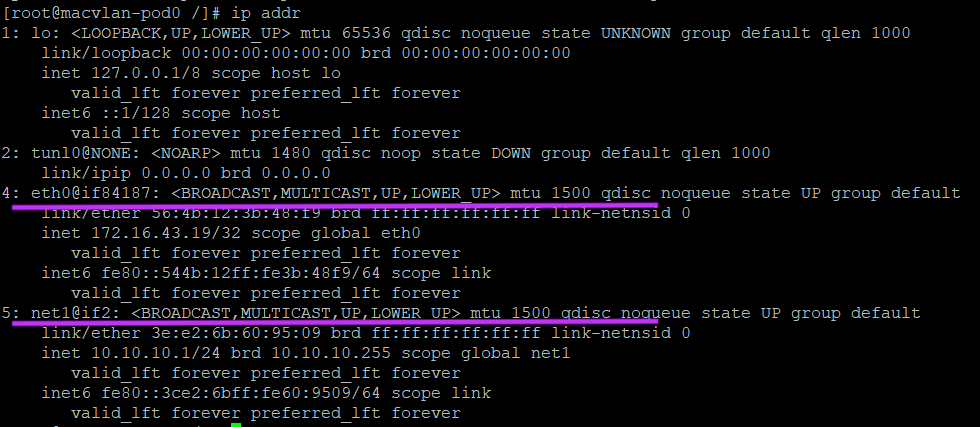
Then, attach to the launched pod’s container, examine the allocated network interfaces within the container. There are two interfaces allocated within the container: the first eth0 interface is allocated by the Calico CNI and the second network interface net1 is allocated by the MAC VLAN CNI. Both CNIs are called by the MULT Plugin during the container initialization phase.
Thanks for reading. See more of my posts.
 Knowledge, Experience and Learning