
The Internet of things (IoT) made rapid progress from a pure academic concept to play a crucial role in our daily life. From my point of view, the IoT applications can be classified into three categories:
Must have ones which change our lifestyle and ways people are living. Smartphones, connected through 5G/4G LTE network with location detection and other devices connected to the smartphone with their respective applications, apple watch, bluetooth sensors, remote secure monitoring , remote device control applications are good examples of IoT ecosystem in this category.
Nice to have ones, which improve our daily living qualities. Such as wearable IoT devices, Wifi, BT connected fridge, stove, microwave, hue BT based smart lights ambiances bulbs all belong to this group. They are nice to have, but not absolutely necessary.
The last category is the innovation one. It does not exist in our daily life, but with the emergency of such devices, our living habits can be changed and new business revenue modeling is realized. AI enabled drone devices, automatic driving cars and even meta devices can be put into this category.
But, do not neglect one of the most important devices, which play a central and non replaceable role in this overall connected mesh device network: your GPON FTTH home wifi modem. It can not only provide reliable wifi connection to your home with gigabit level up and download speed, but also can be the central equipment to integrate all those individual IoT applications into a single system which can be accessed globally.
Here are two of those IoT device deployment and application examples:
Deployment of GPON FTTH Home Router
I just moved to a new property, there is no internet service yet. After I checked the wiring structure of the house, there is only a cable and phone outlet inside the house, no Ethernet outlet. I verified with the provider that FTTH service is available in my region. The big question in my mind: How will the FTTH be deployed and how can I get Ethernet service based on current wiring structure ? I actually noticed that there is one box beside the cable TV box outside the car garage and was assured this is the fiber cable box for the FTTH service. Here is how all those doubts are answered while I followed the whole FTTH service deployment process.
Connect the Fiber Box to the service center
The technician first connected the fiber box outside of the garage with the provider’s last mile terminator splitter and verified that the optical signal is good enough from the fiber box to the splitter with a optical signal monitor and loopback device.


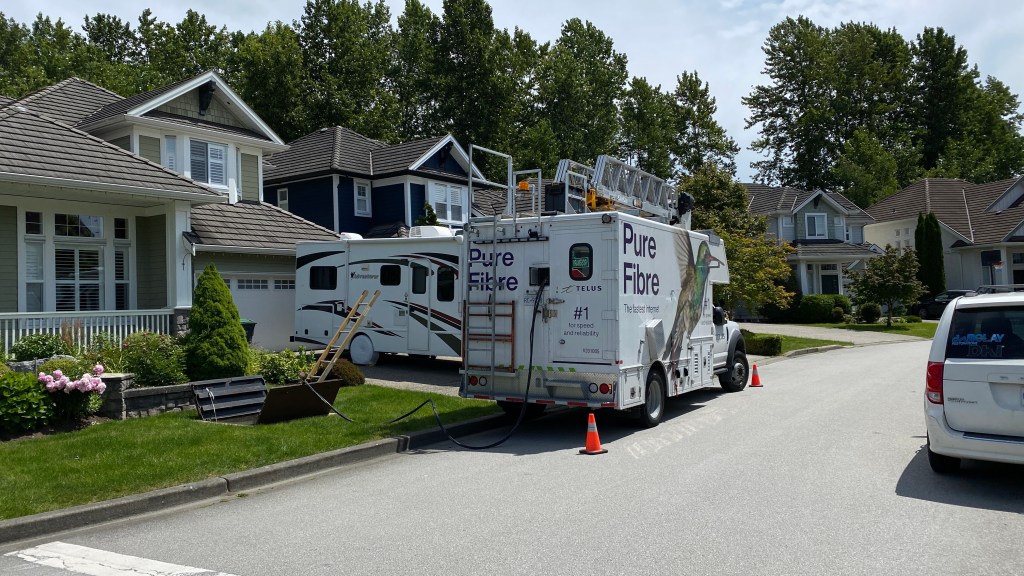
Now, the physical optical connection from the central office to my house is done. Next step is to install the GPON terminal box with the SFP plugin. The techanin scans the barcode on the side of SFP device and add it to the provider CPE database to activate the device:

After all those, connect the TV cable compatible outlet from above network access hub to the TV cable box outside the garage. Oh !, suddenly I understood that the existing TV cable wiring structure will be used to provide the FTTH service to the house. SMART!

Now, go inside the house, pick up the TV cable outlet, which has been arranged to connect with above FTTH terminal box, finally connect the wireless modem with TV cable to the outlet:
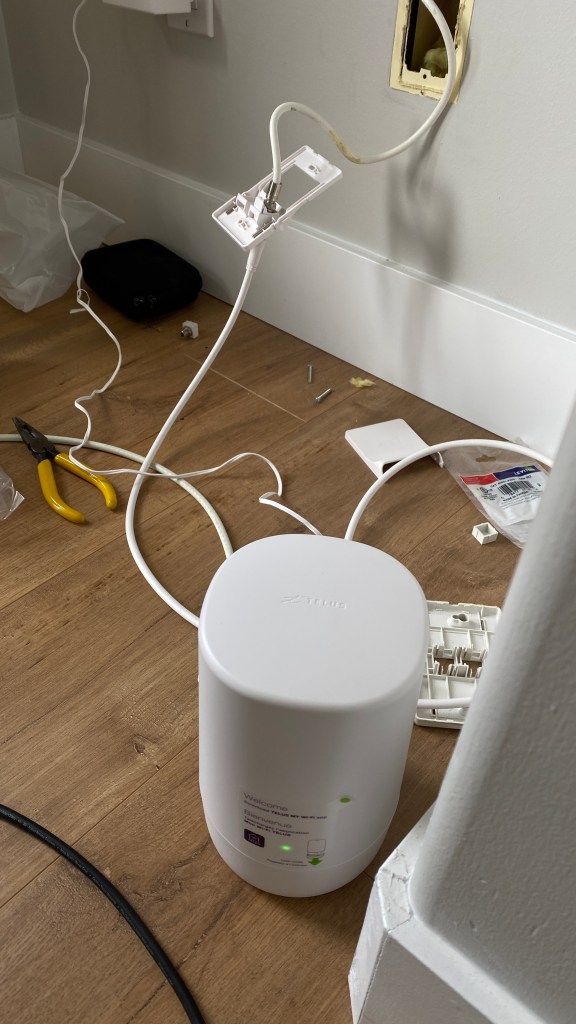
After all those, you have WIFI service to the house with FTTH GPON at backend. Existing cable TV wiring structure is used for connection purposes. No Ethernet wiring is needed. On the back of the above wireless modem, there are a couple of Ethernet ports, which can be used to provide wired Ethernet connections to the devices like PC, smart TV and so on.
Then, the technician scans the above modem device’s barcode, adds it to the provider CPE database, verifies your account and you have both wifi and Ethernet service within the house. I also asked the technician to install a TV cable to Ethernet converter in the basement, so I can use the wired Ethernet function in the basement. Even without an Ethernet wiring structure, I also have an Ethernet outlet in the basement. Wow!
The service was down somehow the next day. I called the technical helpline, and the technician working with me did an online remote loopback testing to make sure everything is fine. The remote loopback test was passed and my modem can be remotely put into reset, reboot and whatever device testing from the provider’s remote central office.
Up to this moment, it has been an enjoyable experience. When worked on GPON FTTH technical project development in Nortel Networks about 10 years ago, I wrote the SFP driver, designed and coded the loopback testing procedures and implemented the service and device management system, such as put the device into service, out of service, monitoring the device with according alarms and so on, today I saw a ture, working deployment example of what we developed years ago. Existing !
Install and control multiple smart devices within home
With the gigabit upload and download WIFI and Ethernet service, different kinds of smart home devices are installed and put into service, including Amazon echo, smart doorbell, smart outlets, smart garage door opener, smart door lock, security camera and a lot of more devices and their according applications on my iPhone. Now, it is time to enjoy my new smart home environment. Here is a shot video I made to demo this kind of new smart home functions:
Demo of new smart home functions
I am sure we will see more and more innovative IoT appliance use cases emerging into our daily life in near future.
 Knowledge, Experience and Learning
Hey Keyuan, great read! I particularly enjoyed your in-depth discussion of the IoT install pipeline, since it was something I hadn’t really thought of before. Being a fellow tech blogger myself, I also really appreciate how organized and well-formatted everything was – it definitely made the content much more digestible overall. Keep up the awesome work!
LikeLike
Thanks for the comments ! Appreciated.
LikeLike